How to Play
A quick start to In The Groove
If you’ve heard of, or played Dance Dance Revolution, you’ll feel right at home with In The Groove.
For those in need of a refresher, or if you’re new to the four-panel arcade rhythm game, we’ve got you covered.
Gist of ITG
In The Groove is a rhythm game played on a dance pad with four pressure panels, labelled with directional (←↓↑→) arrows. Notes on the screen scroll towards a target in time with the music, upon which you step on the appropriate panel, and are judged based on your timing.
Alongside tap notes (of one or more), there are other note types that require holding, repetitively tapping, and avoiding.
There may not be much to the rules, but the musical and choreographical variety In The Groove provides is what brings uniqueness to this community-run, open-source game.
The easiest way to understand this game is to simply give it a try!
Game Loop
A typical game in ITG goes through this process:
- Preparation
- Select a colour you fancy (purely for visual aesthetics)
- Select default “ITG” (Casual is not used for SMASH!)
- Select default “Regular” (Marathon is likewise also not used)
- Select and play songs
- Upon deciding on a song, you ideally would want to set your options by pressing 🟩 twice
- Gameplay
- Stage results
- Repeat until you have played all stages
- Game results
- Name entry
Selecting Songs
As there are tens of thousands of songs available in our library, they are organised into folders. For example, at SMASH!, you will likely be playing something from SMASH! 2024. Folders (grey background, and song count on the right), when selected, expand to reveal contents, and close to list other folders.

Change difficulty by using the dance pad. Tap ↑↑ to go up (easier), or ↓↓ to go down (harder).
On Sunday, during unrestricted free play, you can sort the library by simultaneously pressing both menu ◀▶ keys. Available options include sorting by folder, title, artist, BPM, length, most played, or recently played.
To quickly close a folder, do a ↓↑ jump.
Options
Every player has their own preferred settings to maximise their gameplay experience, so we highly recommended you find yours. They range from essentials like scroll speed, to fun customisation options like noteskins, to showing additional statistics, and much more.
Feel free to ask if you’re unsure what something does, or are looking for a specific option!
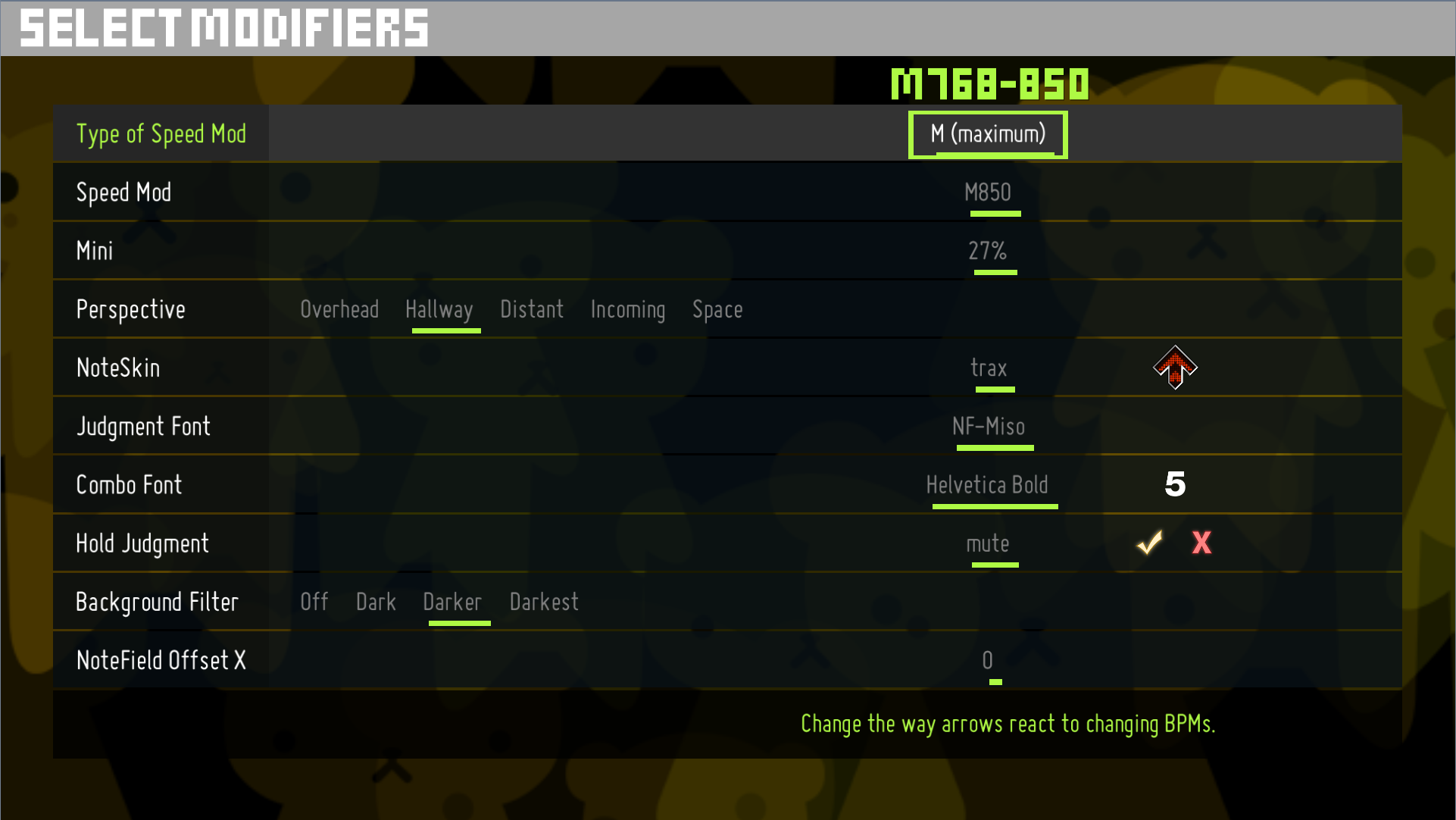
Select options by using the ◀▶ keys. 🟩 proceeds to the next line. To go to the previous line, simultaneously hold ◀+▶ then press 🟩.
Pro tip: If you accidentally choose the wrong song, you can select the option to go back to song select instead of proceeding to gameplay.
Gameplay
During gameplay, you will see UI elements such as health, combo, judgements, scores, song progress, and current BPM of the song, along with any other additional UI as set in options.
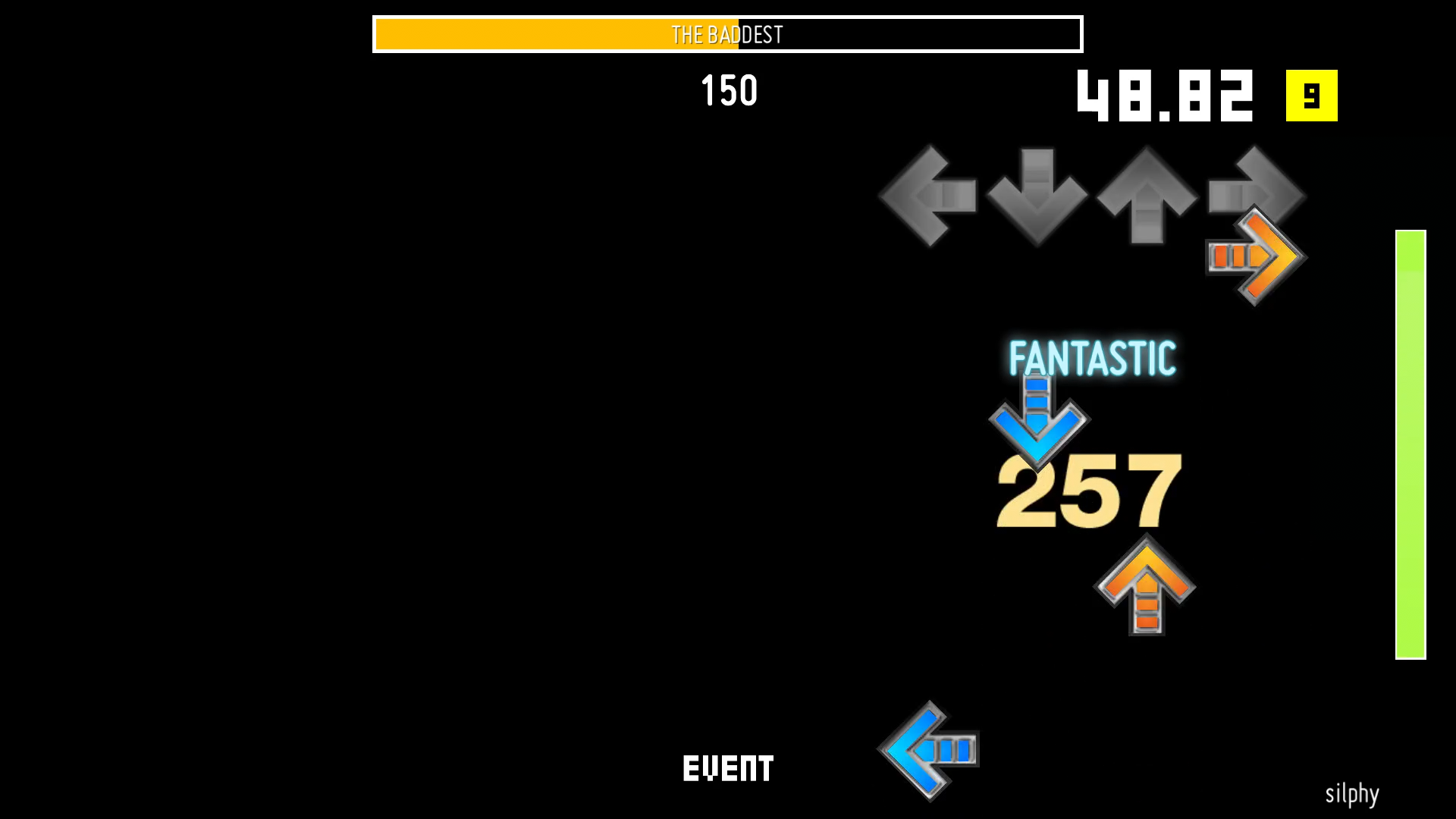
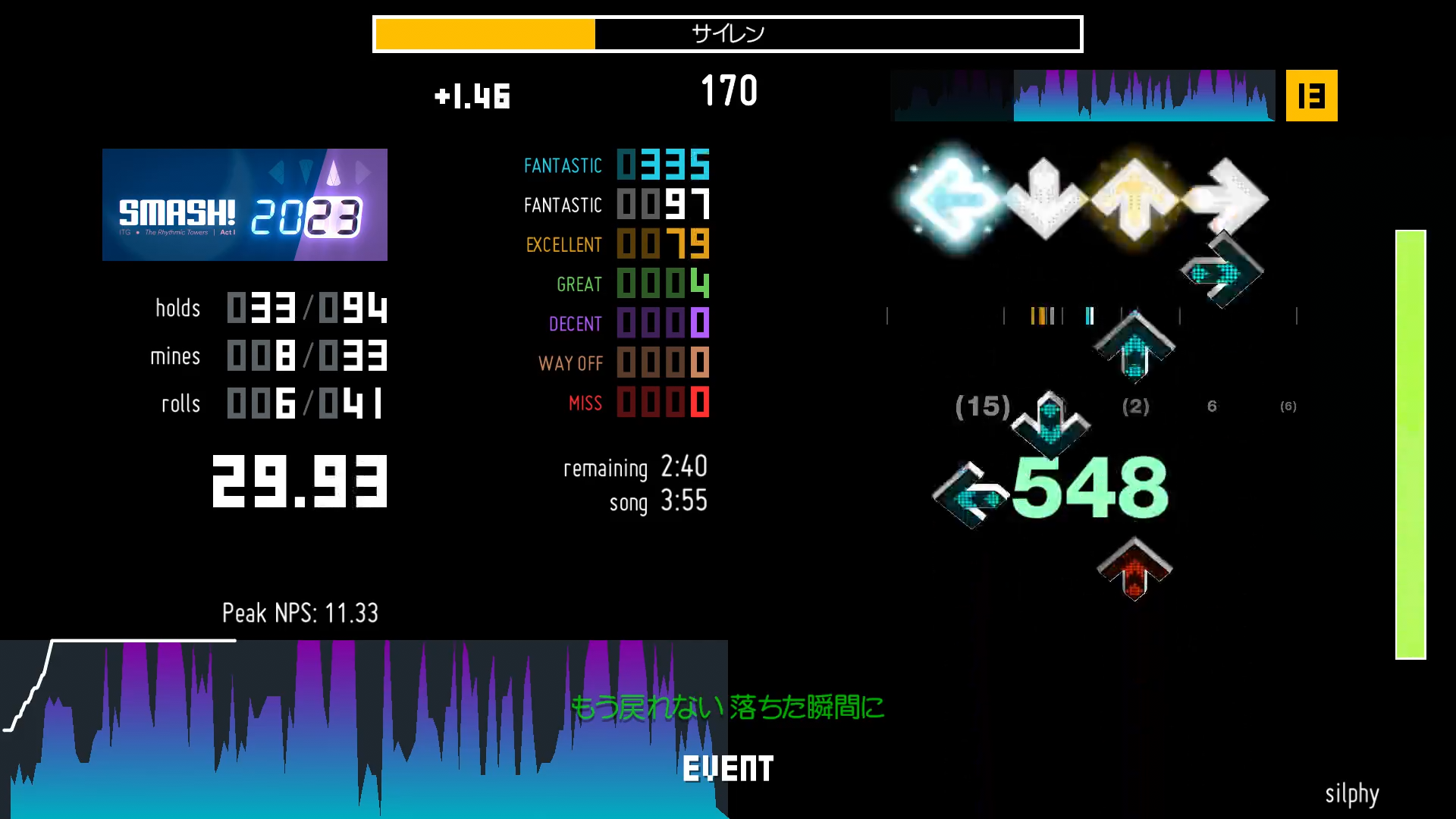
Holds are indicated with solid tails behind a note. It is not necessary to precisely release the hold on time – so long as you don’t let go until the end. (There is a short grace period for you to restep the hold, if you briefly let go.)
Rolls are indicated with spiky tails. Unlike holds, these require you to keep tapping (about three times a second) for it to remain active.
Mines require you to let go of the appropriate panel when it is on or near the targets, otherwise a health and score penalty will apply.

In SMASH! 2024’s song pack, you will come across a lot of various patterns that make use of all these notes to suggest you to move in a certain way. Part of the challenge and fun is figuring out how to read and perform them in real time!
About the Machine (Sunday)
This year, we are using a privately owned machine. As such, you can expect a superior quality cabinet (see Saturday’s about the machine page for the rules on that day):
- Still the same responsive pads as it will be on Saturday. In fact, we suggest you play with socks, even if you plan to play DDR or ITL content.
- Standard ITG metrics (life gauge 4, selectable regular/FA+ timing). The engine we will be using is ITGmania, and rescoring early hits will be enabled.
- We may have mod charts available to play. If you wish to play them, it would involve switching to StepMania 5.3.
- Players will still have two stages per game. If, for whatever reason, the game prematurely finishes, we’ll let you play one more stage.
- Fail mode is set to
ImmediateContinue(you can fail, but you get to play the song until the end). - Double stage cut-off is 4 minutes to keep game times short for other players in the queue.
- Disqualification is enabled; any setting that will disqualify your score will not count.